Please see the following steps to modify your email address and/or password.
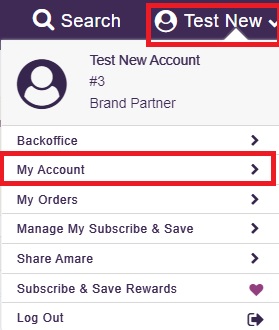
Log into your account, hover over your name at the top right, and click My Account.
- In the Basic Information box, to the right of the word Email, click EDIT.
Add the new email address and click SAVE CHANGES.
- To update your password, to the right of the word Password, click EDIT.
- Enter the new password and confirm it again.
- Enter the new password and confirm it again.